
Build With Model Match: Mortgage Data Dashboards in Claude & ChatGPT
Plug Model Match mortgage and real estate data into Claude, ChatGPT, or any AI agent and build loan officer production dashboards, market briefs, and reports.
The Model Match MCP server lets you plug real mortgage and real estate data into Claude, ChatGPT, or any AI agent, so you can build custom dashboards, weekly market briefs, and loan officer production reports around the way you actually work. The data that powers the app becomes something you can query, shape, and reuse inside the tools you already have open all day.
That’s the shift. You’re no longer logging into one more dashboard to look something up. You bring mortgage market intelligence, including loan officers, real estate agents, properties, and borrowers, into your assistant, and with a few plain-English prompts you build the report, the brief, or the internal app you wish existed.
One Model Match user wanted to track opportunities a different way, so they built their own dashboard directly on top of Model Match. No engineering ticket, no export to reconcile, just a connected assistant and the data underneath it. Here are three builds you can stand up the same way.
Idea #1 · Build a loan officer production dashboard
Start with the question every manager and originator eventually asks: who’s producing in my market, and who’s worth a closer look? Instead of a static export, build a living view you can refresh on demand.
Point your assistant at Model Match and ask it to surface loan officers by market, production volume, units, purchase-versus-refinance mix, referral concentration, and recent company movement. The result isn’t a spreadsheet you have to rebuild every quarter. It’s a loan officer production pipeline you can re-run any time the market moves.
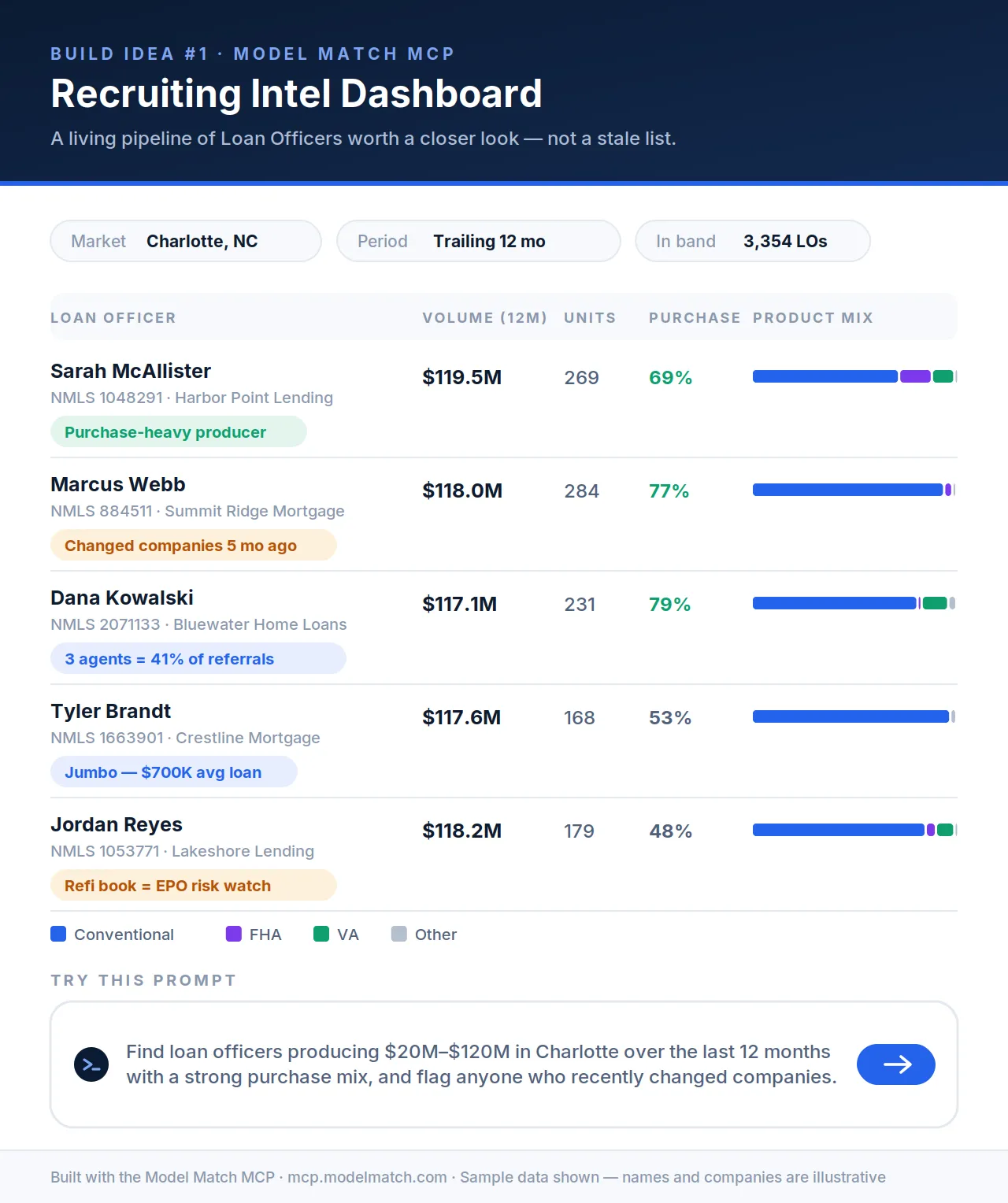
A production dashboard built on Model Match data. Names and companies are illustrative.
Find loan officers producing $20M–$120M in Charlotte over the last 12 months with a strong purchase mix, and flag anyone who recently changed companies.
Keep the thread going: narrow by units, filter to purchase-heavy books, or flag refi-heavy portfolios as a risk watch, and the assistant refines the view from live records rather than a stale list.
Idea #2 · Build an agent partner targeting board
The same connection points the other direction. Instead of loan officers, find the real estate agents whose business you actually want to earn. Ask your assistant to use Model Match to identify agents by market, production, transaction type, buyer activity, listing activity, loan-type mix, and lender relationships.
Then take it one step further and let the assistant prep the outreach: meeting notes, a first-touch email, or a partner strategy tailored to each agent’s book. This is the same active-agent data you’d search inside Market Insights, turned into a working target list with the outreach already drafted.
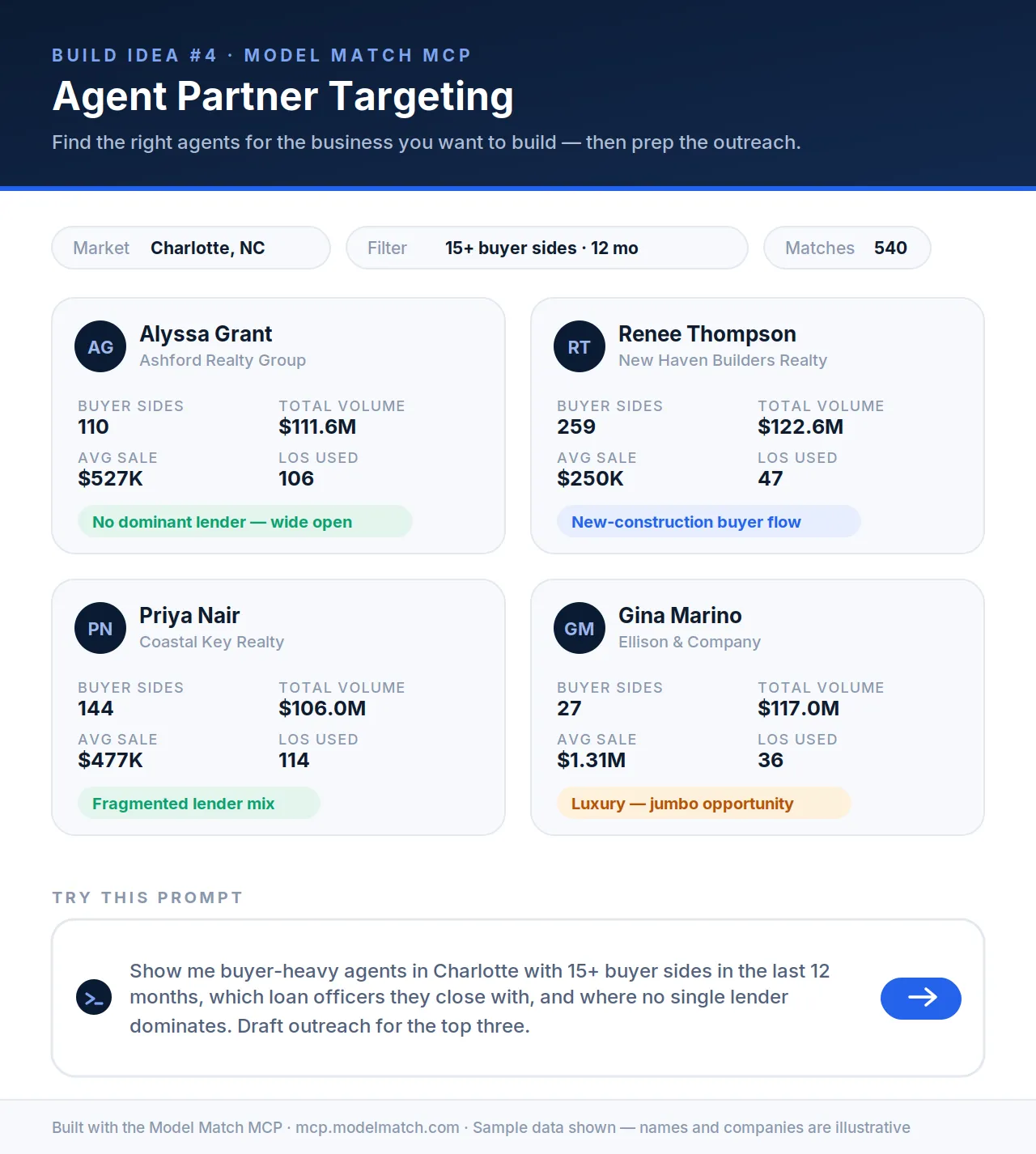
An agent targeting board built on Model Match data. Names and companies are illustrative.
Show me buyer-heavy agents in Charlotte with 15+ buyer sides in the last 12 months, which loan officers they close with, and where no single lender dominates. Draft outreach for the top three.
Because the assistant can see which lenders an agent already leans on, the openings surface themselves. The agent with a fragmented lender mix or no dominant partner is the one worth a call first. For more on this play, see how loan officers find active real estate agents.
Start building today
Connect Model Match to Claude or ChatGPT and start with a 14-day free trial.
Idea #3 · Build a weekly market brief for referral partners
Not every build is a prospecting tool. One of the most repeatable is a weekly market brief you can send to your referral partners, the kind of touch that keeps you top of mind without much effort once it’s set up.
Ask Model Match to summarize your target market each week: loans closed, new listings, purchases versus new listings, loan-type mix, and the trends that actually changed. The assistant writes it in a voice you can forward as-is, and you re-run the same prompt next week for a fresh edition.
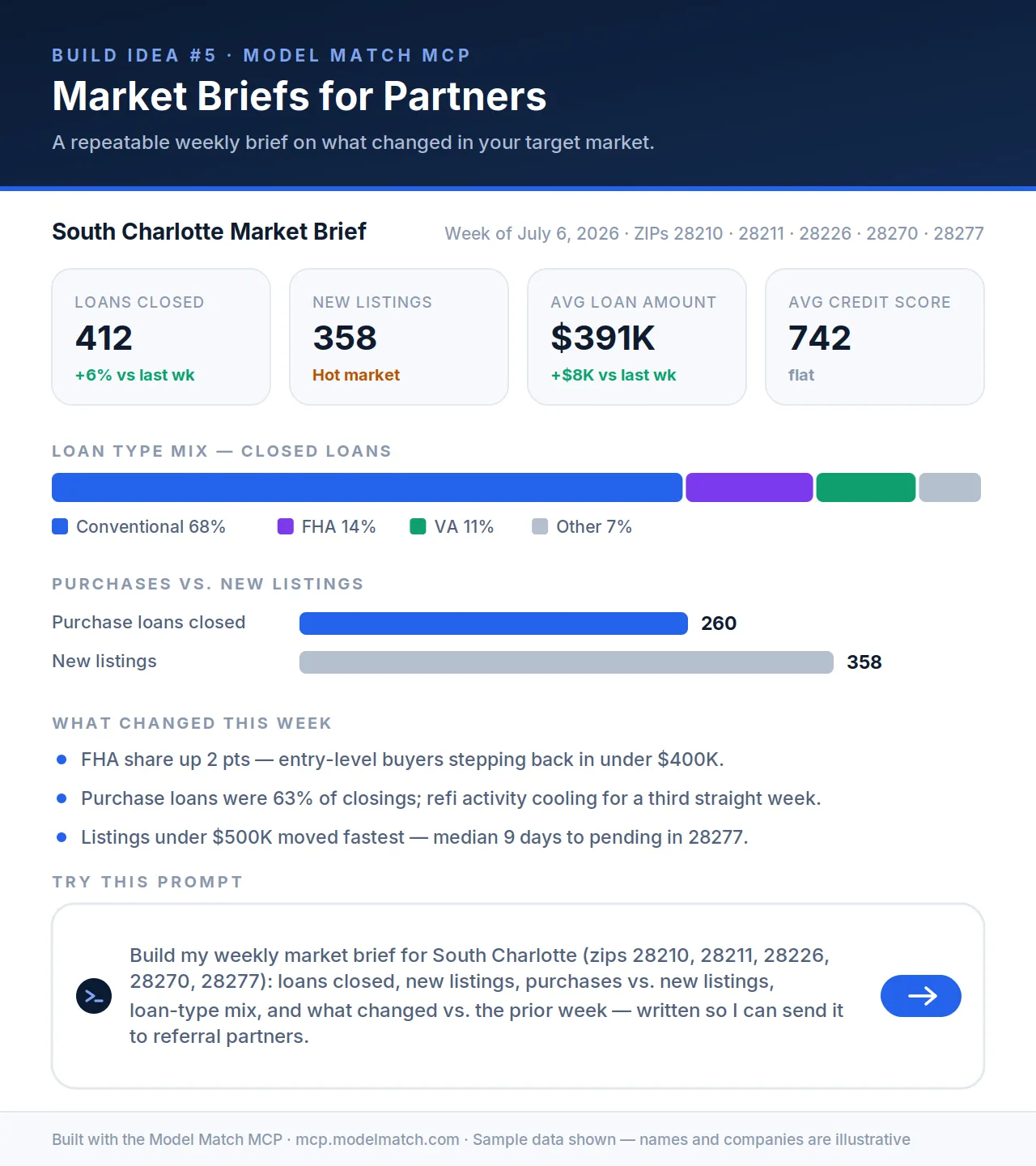
A weekly market brief built on Model Match data. Figures are illustrative.
Build my weekly market brief for South Charlotte (zips 28210, 28211, 28226, 28270, 28277): loans closed, new listings, purchases vs. new listings, loan-type mix, and what changed vs. the prior week, written so I can send it to referral partners.
That’s a standing piece of mortgage market intelligence content you produce in seconds and can point at any ZIP, county, or metro you work.
What you can reach through the connection
Every build above runs on the same data that powers Market Insights, surfaced through a conversation instead of a search screen:
- Loan officers: production volume, units, loan-type mix, trends, and company movement
- Real estate agents: buyer-versus-seller activity, sales volume, brokerage, and lender relationships
- Companies and branches: production, top producers, and recent originator movement
- Loans and sales: purchase and refinance records across your markets
- Local market view: closed loans, new listings, rates, and product mix for a city, county, or state
Getting access
You can connect Model Match to Claude, ChatGPT, or any other AI agent right now, on any plan you’re on. You’ll find the MCP options under the Connectors settings in your account. Setup happens once and takes about a minute:
- In Claude or ChatGPT, add Model Match as a connector.
- Sign in with your Model Match account and approve access.
- Start building dashboards, briefs, reports, and internal workflows in any conversation.
There are no API keys to manage and nothing to reinstall. Your sign-in is secure, every connection asks for your consent, and the data your assistant returns is scoped to your account.
Put Model Match inside your AI
Start a 14-day free trial, add the MCP server, and build dashboards, briefs, and reports on real mortgage and real estate data from Claude, ChatGPT, or any AI agent.
By signing up, you agree to our Terms of Use & Privacy Policy